BaiShou can run an MCP server on your machine and hand diary, memory, and retrieval tools to other MCP-capable apps.
Get the direction straight: BaiShou is the server. You turn the service on in BaiShou and copy the URL; you paste that URL in the other app. There is nowhere in BaiShou to fill in mcpServers.
This section is hands-on. For what diary, memories, and companions are, see Concepts. Finish Chat in ten minutes first, or the other app will have nothing to search.
Keep BaiShou running. Desktop and Android both work; Android needs the official package.
Settings → MCP Service, then switch on Enable MCP Server. You should see “Running” and the current port.
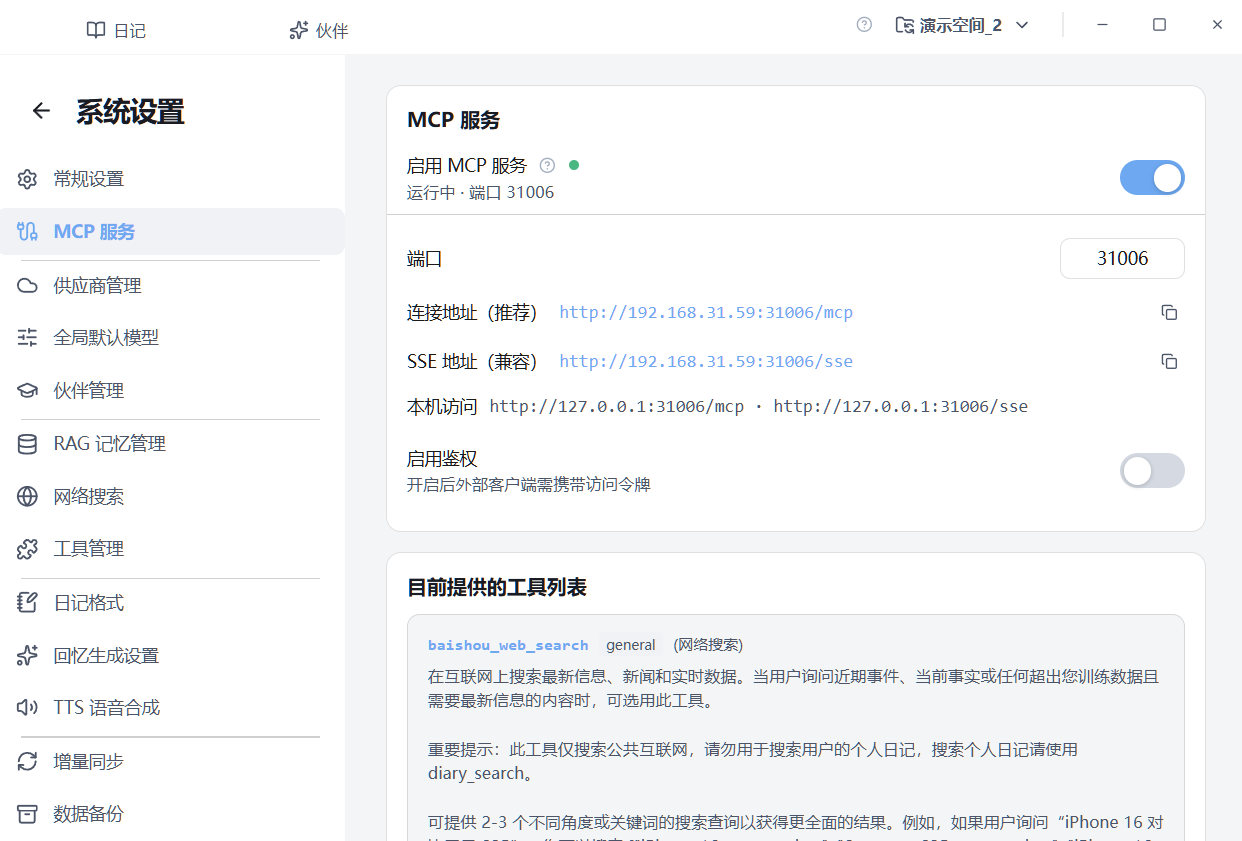
After the switch is on, copy the Connection address line. The path must end with /mcp.
Use the values on your screen. Do not copy the IP or port from the screenshot:
| Item | How to use it |
|---|---|
| Port | Often 31004. Dev builds may use 31005. The screenshot shows 31006 — use whatever your page shows |
| Connection address | Prefer this one; it must end with /mcp |
| Local access | Clients on the same computer use 127.0.0.1 |
| LAN address | Phones or other PCs use the LAN IP shown on the page |
| Authentication | Off in the screenshot, which is enough on the same machine. If you turn it on, the client must send a token |
Open the in-app help, or just copy the connection address. The other app needs:
/mcpAuthorization: Bearer <token>The help page looks like this. Replace the URL with yours.
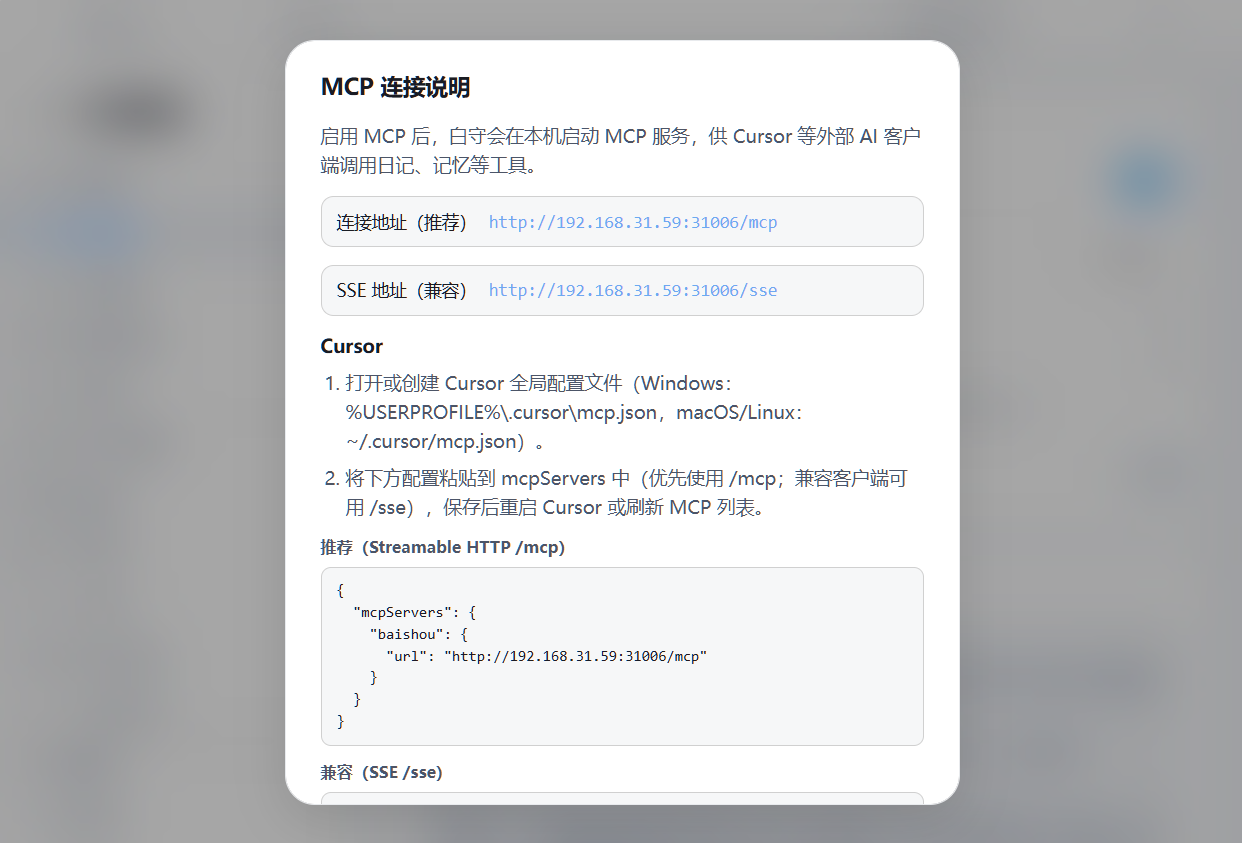
{
  "mcpServers": {
    "baishou": {
      "url": "http://127.0.0.1:31004/mcp"
    }
  }
}
Same machine: 127.0.0.1. The screenshot uses a LAN IP for another device.
If authentication is on, add inside baishou:
"headers": {
  "Authorization": "Bearer YOUR_ACCESS_TOKEN"
}
Copy the token from the MCP page. If you refresh it, update the other app too.
Pick the page for the app you actually use:
Then ask something like “what have I eaten lately?” If it can read your diary, you are done.
Tool list, missing tools, 401, and LAN failures: MCP server.